Search for the best AI for research and you will find no shortage of recommendations — forum threads, personal round-ups, and guides published by the companies building the tools. Most of them set out to answer which AI tool is smartest. That is a genuinely hard question, and it is usually not the one a researcher is asking. The more practical question is narrower: which tool can I rely on at this particular stage of my work?
That is how this list is organized. Research moves through stages — finding papers, mapping the literature, reading, checking claims, writing — and a different AI tool tends to win at each one. A tool that excels at source discovery can be a poor choice for drafting, and the best tools for academic research are often not the best-known chatbots.
A quick disclosure: we make PDFSummarizer.net, a free research paper summarizer. It appears once, in the reading stage, where it fits. Everything else here is included on its merits.
The best AI for research by task: the quick answer
If you only read one section, read this table. Each row is a stage of the research process and the AI tools for researchers that handle it best.
| Research stage | Best AI tools | Why |
|---|---|---|
| Finding papers | Elicit, Consensus, Semantic Scholar | Answers come from academic papers, not the open web |
| Mapping the literature | ResearchRabbit, Connected Papers | Visual maps surface relevant papers you missed |
| Checking citations | scite | Shows whether later work supports or contradicts a paper |
| Reading and summarizing | SciSpace, NotebookLM, PDFSummarizer.net | Summaries tied to the PDF you uploaded |
| Web and background research | Perplexity | Every answer links to its sources |
| Thinking and academic writing | Claude, ChatGPT | Strong reasoning and feedback on drafts, weak on citations |
Notice what is missing from the last row: citation. A general chatbot is a good writing tool and a poor search engine for scholarship. The rest of this guide explains why, and how to combine the tools into a research workflow you can defend to a supervisor or a reviewer.
How we chose these AI tools for research
We did not rank these tools by how impressive their answers sound. For research, a fluent answer that cannot be checked is worse than no answer. Every AI tool here was judged on four questions:
- Source traceability. Can you check each claim, summary or recommendation against the original paper, with a link or a page reference?
- Where the answers come from. A curated database of academic papers, the open web, or only the model’s memory?
- Reliability. Does the tool reduce the risk of inaccurate citations, weak summaries and unsupported claims, or does it create more checking work than it saves?
- The free tier. Most students and many researchers will never pay, so we note what the free plan actually covers, as of September 2026. Limits change often; check before you commit.
Is ChatGPT the best AI for research?
For thinking, yes, it is one of the best. For finding and citing sources, no, and the evidence here is unusually clear.
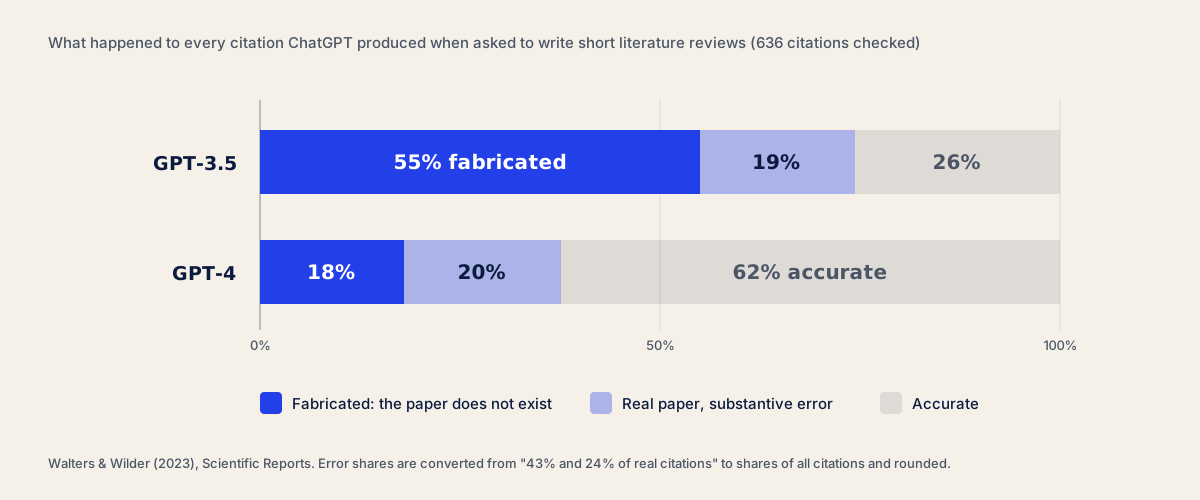
In a 2023 study published in Scientific Reports, Walters and Wilder asked ChatGPT to write short literature reviews and then checked all 636 citations it produced. 55% of the GPT-3.5 citations and 18% of the GPT-4 citations were fabricated — papers that do not exist, with plausible authors, journals and years. Among the real ones, 43% and 24% respectively contained substantive errors.
Newer models and “deep research” modes, which search the web before answering, have reduced the problem but not removed it. They still misattribute findings, cite a secondary source as if it were the original, or summarize an abstract that the full paper contradicts. The failure is quiet: the prose stays confident whether the citation is real or not.
So use ChatGPT, Claude and other large language models for what they do well — explaining a method, stress-testing an argument, tightening a paragraph — and use a research-specific tool for sources.
Best AI tools for finding research papers
These are the tools for finding research papers when you have a question but not yet a reading list. All three answer from academic databases, which is the single biggest reliability difference from a general AI chatbot.
1. Elicit — best AI research assistant for systematic searching
Elicit searches more than 125 million academic papers from the Semantic Scholar corpus and answers your research question with a table of relevant papers. Its real strength is extraction: add columns such as sample size, population, method or main finding, and Elicit fills them in for each paper, with a quote from the source so you can check it.
That makes it the closest thing to an AI tool for systematic review screening. It helps researchers find and compare multiple papers quickly, then export the table. The free plan covers basic search and a limited number of extractions; heavier use needs a paid plan.
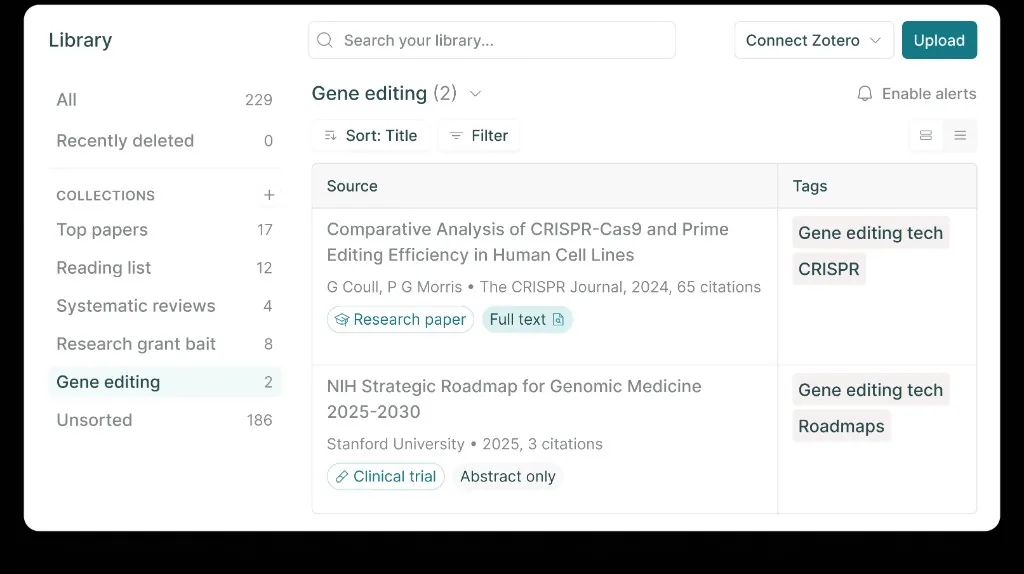
Use it for: a first pass at the literature, building an evidence table, screening abstracts. Watch out for: extracted numbers from tables and figures. Spot-check them against the PDF.
2. Consensus — best for yes-or-no research questions
Consensus is a search engine that reads the findings sections of papers and answers directly. Ask “does creatine improve cognition?” and it shows what the relevant papers conclude, with a meter indicating how many say yes, no or possibly. Each claim links to the paper it came from.
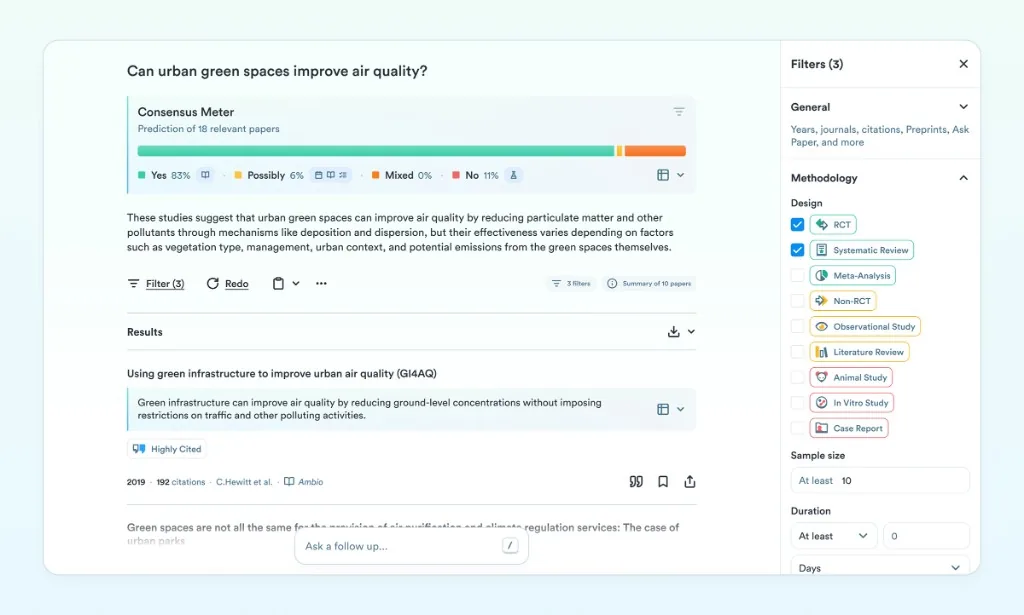
It is the fastest way to see the shape of a debate before reading. It is less useful for open, exploratory questions or qualitative research, where there is no yes-or-no answer to count.
3. Semantic Scholar — the free research database behind many AI tools
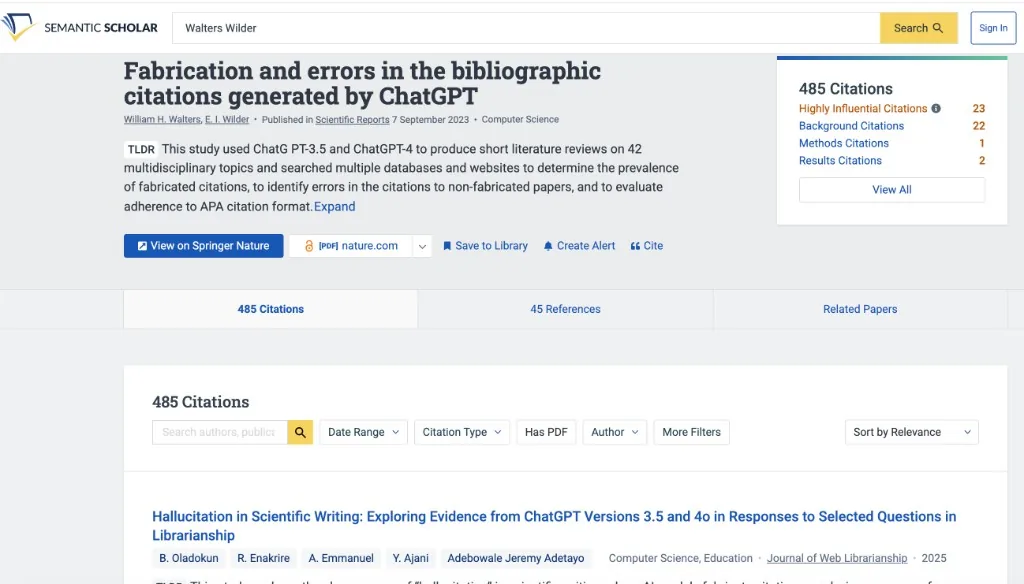
Semantic Scholar, built by the Allen Institute for AI, indexes more than 200 million papers and is completely free. Its AI features are modest but useful: one-line TLDR summaries under each result, highly influential citations flagged, and a research feed that learns from papers you save.
Many AI tools for research, including Elicit and Consensus, draw on its data. Using it directly, alongside Google Scholar, is the best free baseline any researcher can have.
Best AI tools for literature review and citation mapping
Keyword search only finds papers that use your words. Citation mapping finds the rest: the older paper everyone builds on, the rival school that uses different terms, the 2025 study that cites your key source. For a literature review, these are the AI tools that save the most time.
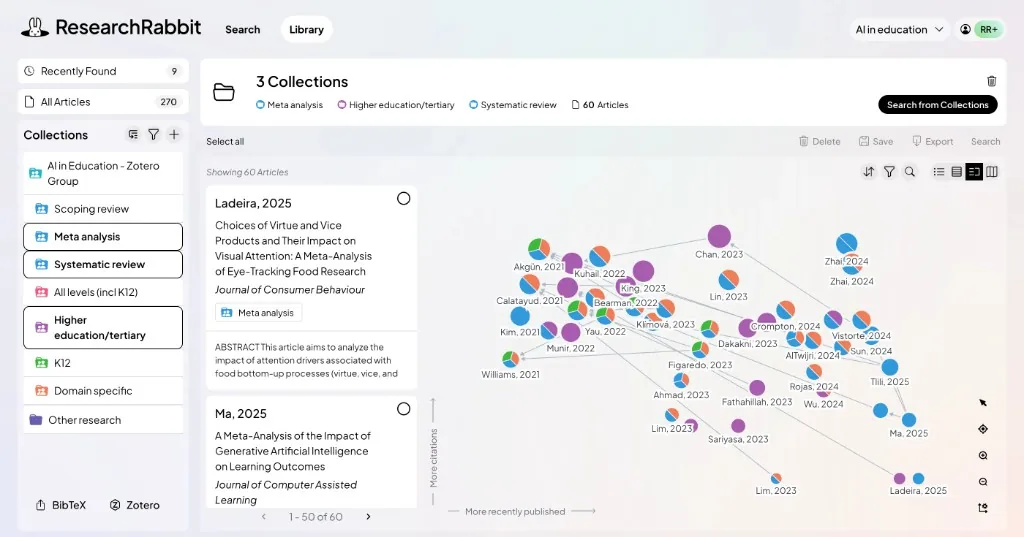
4. ResearchRabbit — best free tool for exploring the literature
Add a few seed papers and ResearchRabbit builds networks of earlier work, later work, similar papers and shared authors. You click through the map to find relevant papers and add them to collections, and it can alert you when new work appears. It has long been free for individual researchers.
5. Connected Papers — best for seeing the field at a glance
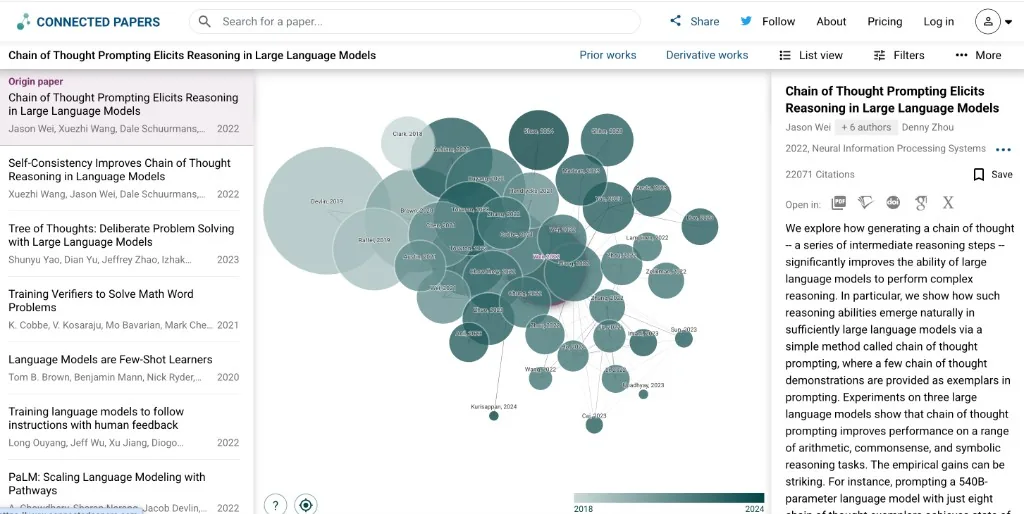
Connected Papers draws a single graph around one paper, grouping works by how often they are cited together rather than by direct citation. Clusters show you schools of thought, and a “prior works” view points to the foundational papers. The free plan allows a handful of graphs each month, which is enough for most literature reviews.
If you are about to write one, our step-by-step guide on how to write a literature review shows where these maps fit between searching and synthesis.
6. scite — best for checking whether a citation holds up
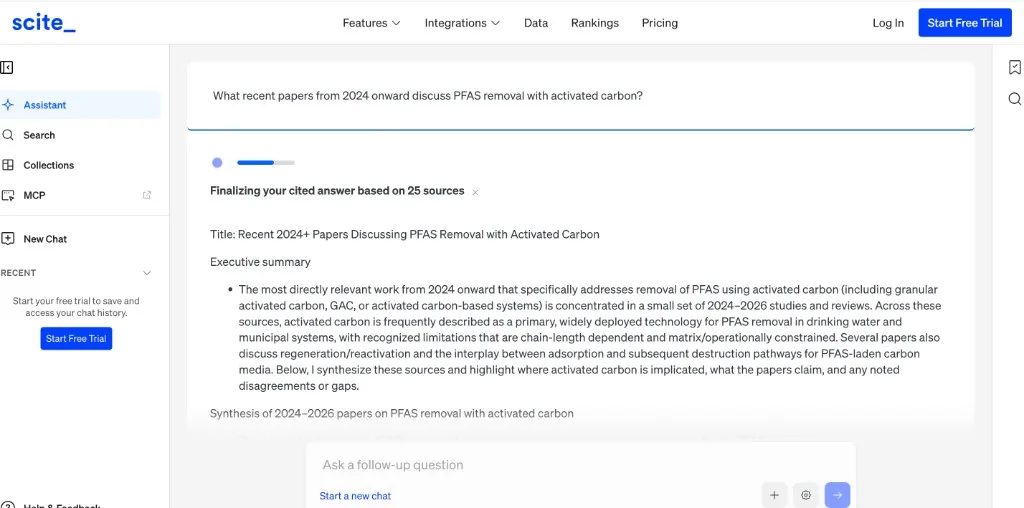
scite’s Smart Citations classify how later papers cite a study: supporting, contrasting or simply mentioning, with the citing sentence shown in context. It has analyzed more than a billion citation statements. Before you build an argument on a single paper, scite tells you whether the field has since contradicted it.
It also has an assistant that answers questions with references drawn from its citation database. scite is a paid tool with a trial, and it is worth the trial period for the checking stage of any thesis.
Best AI for reading and summarizing papers
Once you have a reading list, the bottleneck becomes reading. Here AI tools can save hours — or quietly mislead you — depending on one design choice: whether the answer is grounded in the document you uploaded.
7. SciSpace — best for explaining difficult papers
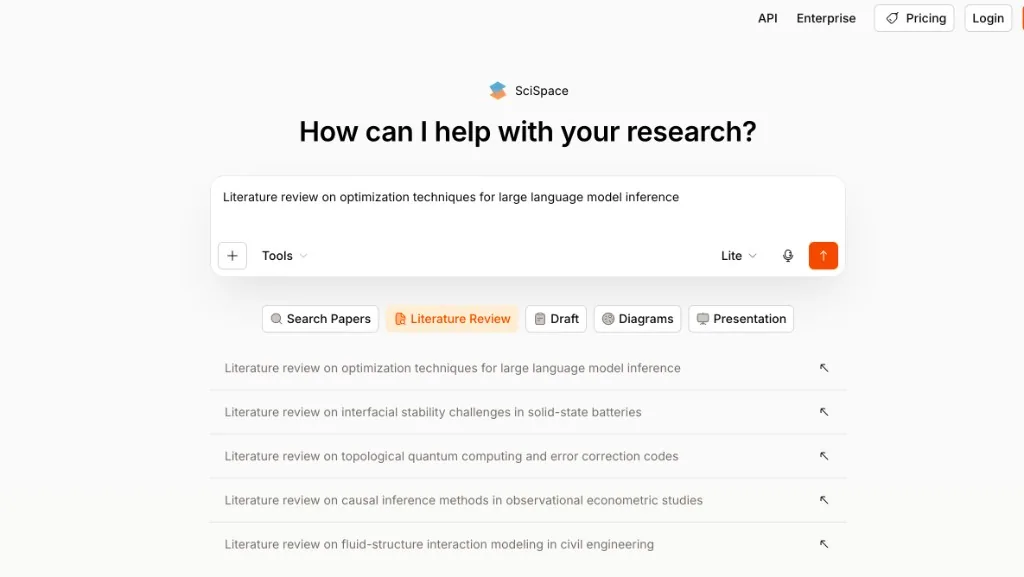
SciSpace lets you upload a paper, highlight a paragraph, equation or table, and ask for an explanation. It is especially helpful when you read outside your field, where the methods section uses tools you have never met. It also offers literature review tables similar to Elicit, and a freemium plan.
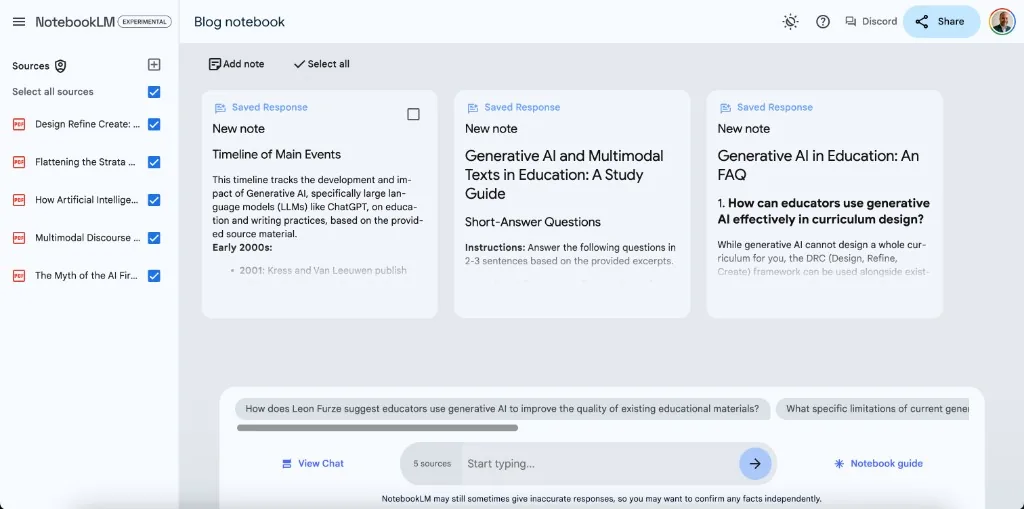
8. NotebookLM — best AI workspace for your own sources
Google’s NotebookLM answers only from the sources you upload, with inline citations that jump to the exact passage. For a research project, that makes it an excellent workspace: load twenty papers and ask how their methods differ, what samples they used, or where they disagree. The free tier covers up to 50 sources per notebook.
Because it cannot answer beyond your uploads, NotebookLM is one of the few AI assistants that rarely invents a source. The trade-off is that it cannot find papers for you.
9. PDFSummarizer.net — free triage for a stack of papers
Our tool, and a deliberately narrow one. The research paper summarizer takes a PDF or Word file up to 50 MB and returns a summary of the research question, methods, key findings and conclusions, with key points in bullet form. There is no sign-up. You can then ask follow-up questions about the paper — “what was the sample size?”, “what are the limitations of this study?” — and copy the summary or download it as a .txt or .docx file.
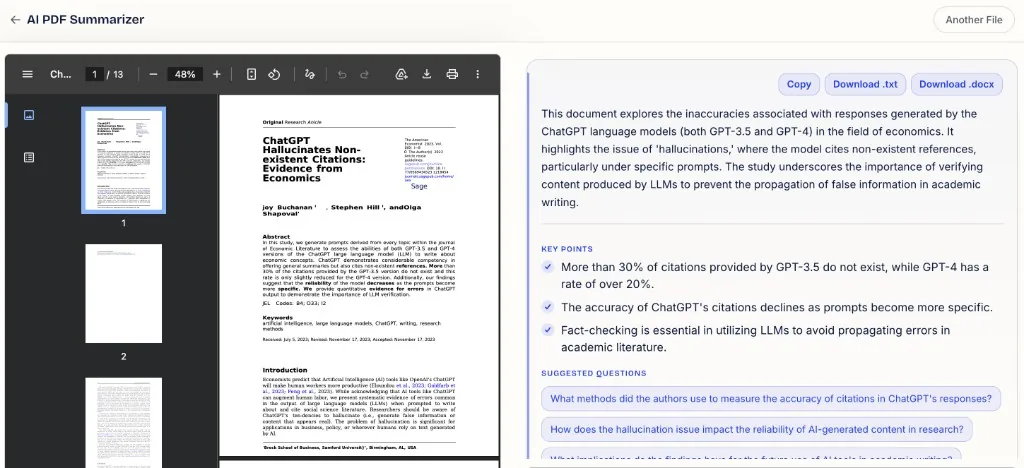
It belongs in the reading stage as a triage tool: use it to decide which ten of forty papers deserve a full read, not to replace reading them. If you cite a paper, read the paper. Summaries of any kind can drop a qualifier or a limitation while the prose stays confident — our guide on how to summarize a PDF covers how to catch that.
Perplexity and Claude: web research and research writing
10. Perplexity — best AI search engine for background research
Perplexity answers questions from the web with numbered sources beside every paragraph, and it can be restricted to academic sources. It is ideal for background research: understanding a policy, a technology, a dataset or recent news around your research topic. Because every sentence links out, it is easy to verify — and you should, because it sometimes cites a blog post summarizing a study instead of the study itself.
11. Claude — best AI for research writing
When people ask which AI is best for research writing, Claude is our answer for most academic content. It handles long documents well, follows instructions about tone and structure, and gives useful critical feedback on a draft: where an argument jumps, where a claim needs a citation, where a paragraph repeats itself. Paste your own draft and ask it to refine your academic writing, not to write it for you.
12. ChatGPT — best all-round AI assistant for thinking
ChatGPT remains the most versatile AI assistant: brainstorming research questions, explaining a statistical test, writing code for data analysis, or turning messy notes into an outline. Its deep research mode produces long, sourced reports on a topic, which are a reasonable starting map. Treat every reference in them as a lead to verify, never as a citation.
Which AI is most reliable for research?
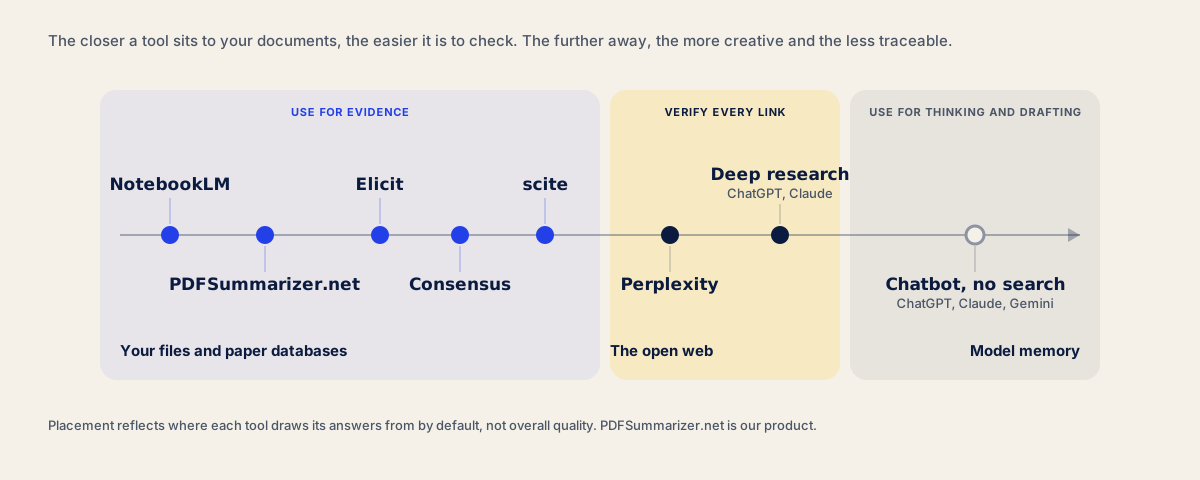
Reliability depends on where the answer comes from. The table sorts these AI tools by how easy it is to trace their claims back to a source.
| AI tool | Answers come from | Can you trace each claim? | Fabricated sources |
|---|---|---|---|
| NotebookLM | Only your uploaded files | Yes, to the passage | Very rare |
| Elicit, Consensus | Academic paper database | Yes, to the paper | Rare |
| scite | Citation database | Yes, to the citing sentence | Rare |
| Perplexity | The web | Yes, to the web page | Occasional misattribution |
| ChatGPT, Claude (deep research) | The web plus the model | Mostly | Occasional |
| ChatGPT, Claude (no search) | Model memory only | No | Common |
The pattern is simple: the more an AI tool is restricted to real documents, the more reliable it is, and the less creative. That is exactly the trade-off you want at the evidence stages of research, and exactly the one you do not want when brainstorming.
Free AI tools for research
You can build a complete research workflow without paying anything:
- Finding papers: Semantic Scholar and Google Scholar, plus Elicit’s and Consensus’s free tiers.
- Mapping: ResearchRabbit, and Connected Papers’ monthly free graphs.
- Reading: NotebookLM for a set of sources, and our free research paper summarizer for quick triage of single papers.
- Writing feedback: the free tiers of Claude and ChatGPT.
- References: Zotero, which is not an AI tool but is free and saves every citation properly.
Students will find more options, including flashcard and note-taking apps, in our round-up of the best AI study tools. If your research is mostly annual reports and company filings, see our guide to the best AI tool for finance reports.
An AI research workflow from question to draft
Here is how the best AI tools for research fit together across the entire research process. Each step uses the tool that is strongest and safest for that job.
- 1
Refine the research question
Brainstorm with ChatGPT or Claude: ask what is contested, what methods are used, and what a narrower version of your question would be. No citations yet.
- 2
Find papers
Run the refined question in Elicit or Consensus and a keyword search in Semantic Scholar or Google Scholar. Save everything relevant to Zotero.
- 3
Map the literature
Feed your five best papers into ResearchRabbit or Connected Papers to find foundational and recent work your searches missed.
- 4
Triage and read
Summarize each PDF to decide what deserves a full read, then read those papers properly. Use NotebookLM to compare methods and findings across the set.
- 5
Check and write
Check key citations in scite, write your own draft, then use Claude for feedback on structure and clarity. Verify every reference against the paper before you submit.
Pick a paper you know well. Ask the tool three questions whose answers you already know: the sample size, the main limitation, and a paper it cites. If it gets one wrong, or names a source you cannot find, you have learned how much checking that tool will cost you.
Limitations: is it cheating to use AI for research?
Using AI tools to find, organize and understand papers is widely accepted. Using them to generate text you submit as your own usually is not, and the rules vary by university, journal and funder. Most major publishers now require authors to disclose the use of AI in preparing a manuscript and do not allow an AI tool to be listed as an author.
Three limitations matter more than the rules:
- AI summaries flatten nuance. A limitation mentioned once in the discussion section is exactly what a summary drops, and exactly what a reviewer will ask about.
- Coverage is uneven. Paywalled papers, books, grey literature and non-English research are thinner in AI databases, so AI search alone produces a biased reading list.
- AI cannot replace judgment. Deciding which evidence is strong, which methods are sound and what your contribution is remains the researcher’s work.
Frequently asked questions
What is the best AI for research?
It depends on the stage. Elicit and Consensus are the best AI tools for finding research papers, ResearchRabbit and Connected Papers for mapping the literature, scite for checking citations, NotebookLM for working across your own sources, and Claude or ChatGPT for thinking and academic writing.
What AI is better than ChatGPT for research?
For finding and citing sources, Elicit, Consensus, Semantic Scholar and Perplexity are all more reliable than ChatGPT without search, because their answers come from real papers or web pages that you can open. ChatGPT is still excellent for brainstorming, explaining methods and editing drafts.
Can AI summarize academic papers accurately?
Mostly, when the summary is grounded in the full PDF you upload. Tools that summarize from memory or from an abstract are far less reliable. Even good summaries can omit limitations and qualifiers, so use them to decide what to read and always read a paper before citing it.
Are AI tools allowed in PhD research?
Usually yes, for searching, organizing, summarizing and language editing, as long as you disclose it where your university or journal requires. Submitting AI-generated text or analysis as your own work is generally not allowed. Check your institution's policy and ask your supervisor before relying on any AI tool.
What is the best free AI for research papers?
Semantic Scholar is the best free research database, ResearchRabbit the best free mapping tool, and NotebookLM the best free AI workspace for papers you have already found. For quick summaries of single papers, our research paper summarizer is free with no sign-up.
The short version
The best AI for research is a set of tools, not one. Search with tools that answer from academic papers, map the literature with citation graphs, read with tools grounded in your PDFs, and keep general chatbots for thinking and editing. Whatever you use, apply one rule at every stage: if you cannot trace a claim back to the original paper, it is not yet evidence.